InfoAssembly
Merge reads from multiple cells to perform reads alignment and transcripts assembly.
If the user uploads fastq files, InfoAssembly should be proceed.
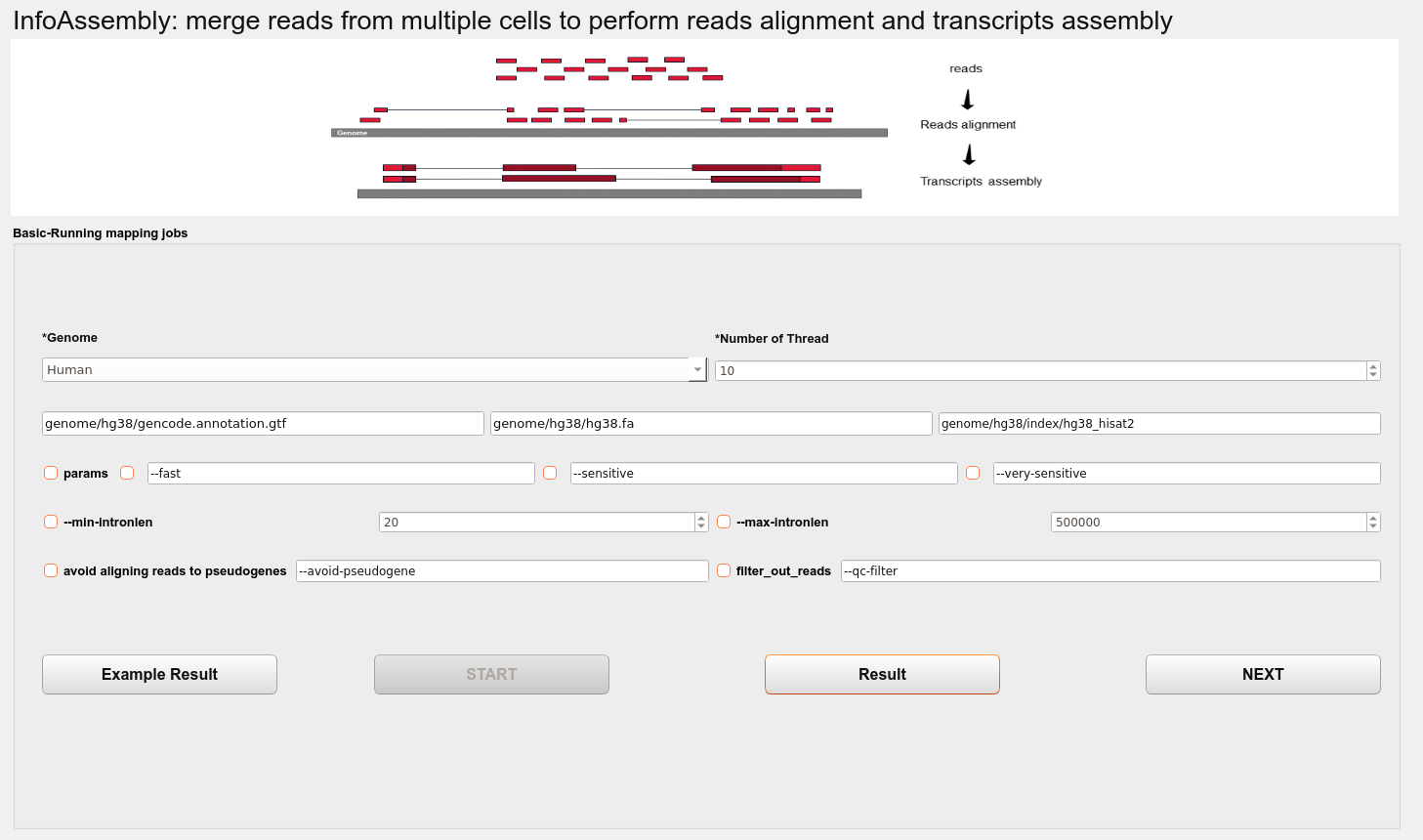
The functions of this interface mainly include: comparing data to a reference genome, assembling transcripts, and merging transcripts.
Genome
Select species (Human or Mouse).
Number of Thread
The worker thread number.
params
--fasthisat2 params, –no-repeat-index.--sensitivehisat2 params, –bowtie2-dp 1 -k 30 –score-min L,0,-0.5.--very-sensitivehisat2 params, –bowtie2-dp 1 -k 30 –score-min L,0,-0.5.
Note
-k: A read may have multiple valid alignments, and not all alignments will be output when output, but only the N alignments specified by the -k parameter. The default value of -k is 5;
–score-min: Sets a function governing the minimum alignment score needed for an alignment to be considered “valid” (i.e. good enough to report). This is a function of read length. For instance, specifying L,0,-0.6 sets the minimum-score function f to f(x) = 0 + -0.6 * x, where x is the read length. See also: [setting function options]. The default is L,0,-0.2
–bowtie2-dp 1 :use Bowtie2’s dynamic programming alignment algorithm (0) - 0: no dynamic programming, 1: conditional dynamic programming, and 2: unconditional dynamic programming (slowest)
--min-intronlen<int> minimum intron length (default 20).--max-intronlen<int> maximum intron length (default 500000).avoid-pseudogenetries to avoid aligning reads to pseudogenes (experimental option).--qc-filterfilter out reads that are bad according to QSEQ filter.
Then the user can run the program by clicking START button. After the program runs, the user can view the results of the quality control by clicking the Result button.
Assembly results
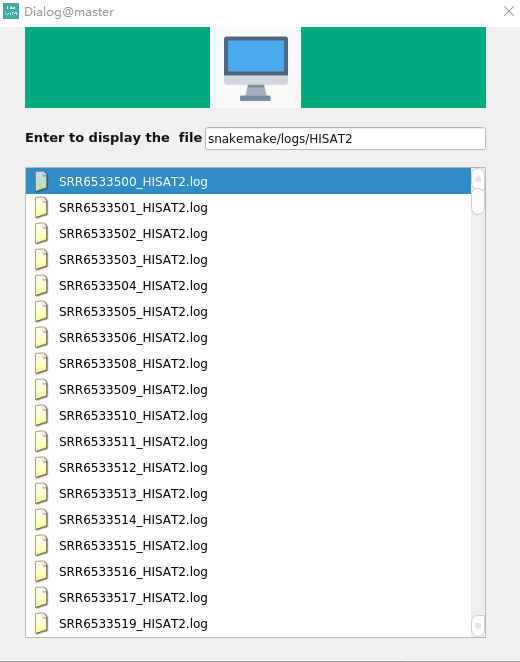
The user presses the Enter Key to display the results of the quality control and double-click the file to view.
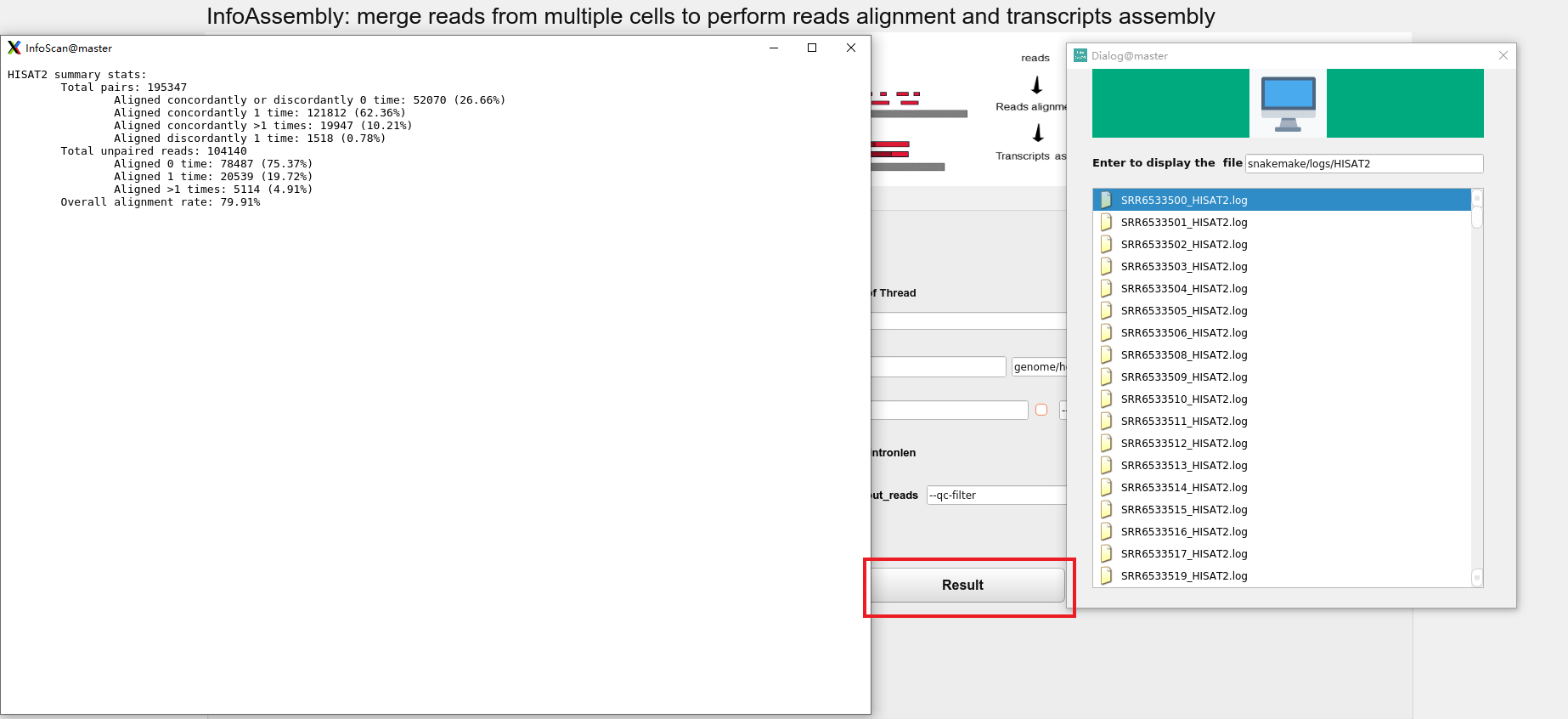
By clicking the NEXT button, the user can reach the NovelScan interface.