NovelScan
Identify of novel transcripts (including mRNA and lncRNAs) and their characters.
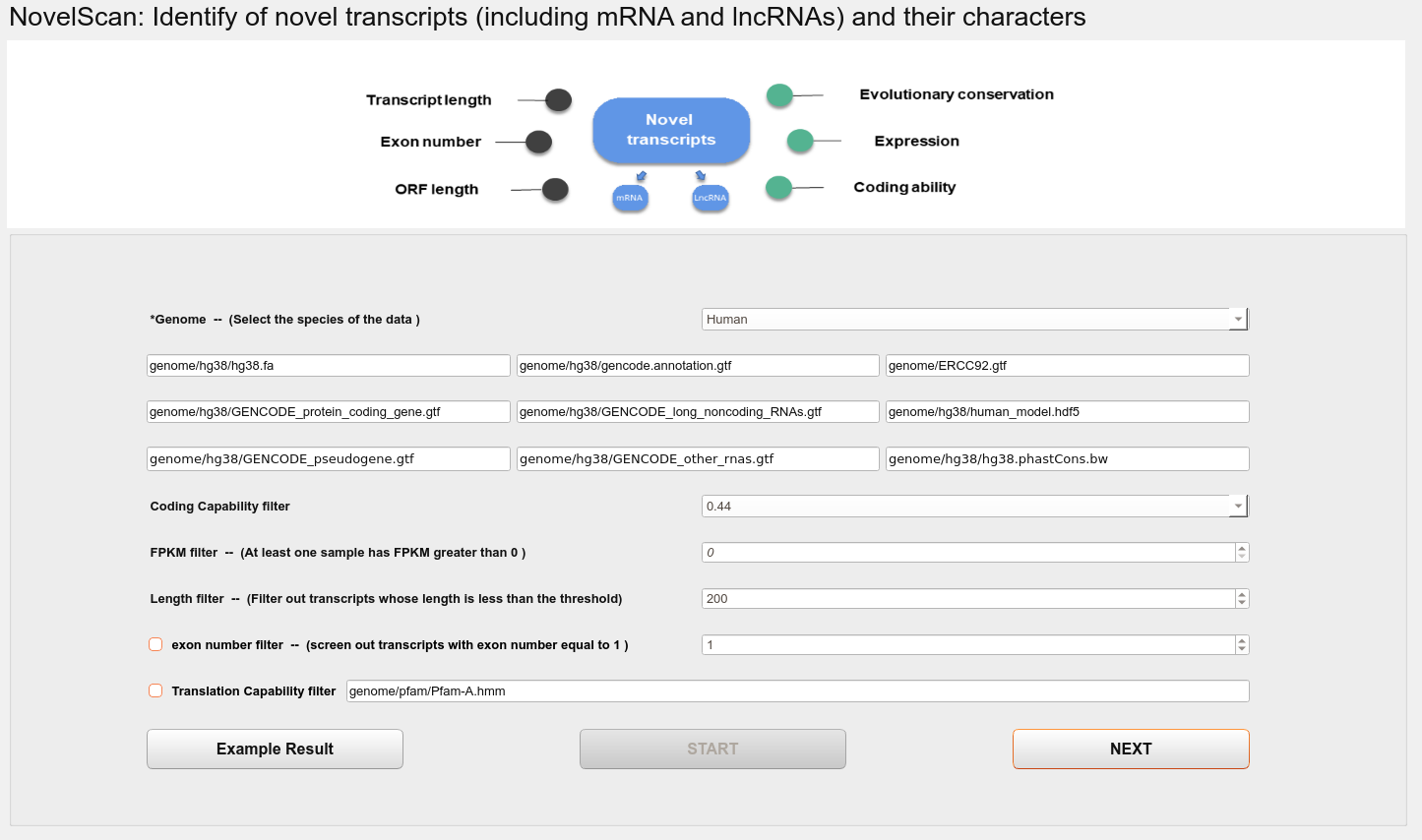
Options
Genome
Select the species of the data.
Coding Capability filter
Select the threshold for selecting non-coding transcripts in CPAT predictive coding ability software, and transcripts below this threshold are non-coding transcripts.
FPKM filter
Remove samples with low expression levels in the data(At least one sample has FPKM greater than the threshold).
Length filter
Filter out transcripts whose length is less than the threshold.
Exon number filter
Screen out transcript with exon number equal to 1. This step is optional, and single-exon transcripts are removed by default.
Translation Capability filter
Translate unannotated transcript sequences into protein sequences and compare them with protein databases to remove sequences that may be translated into proteins.
Then the user can run the program by clicking START button.
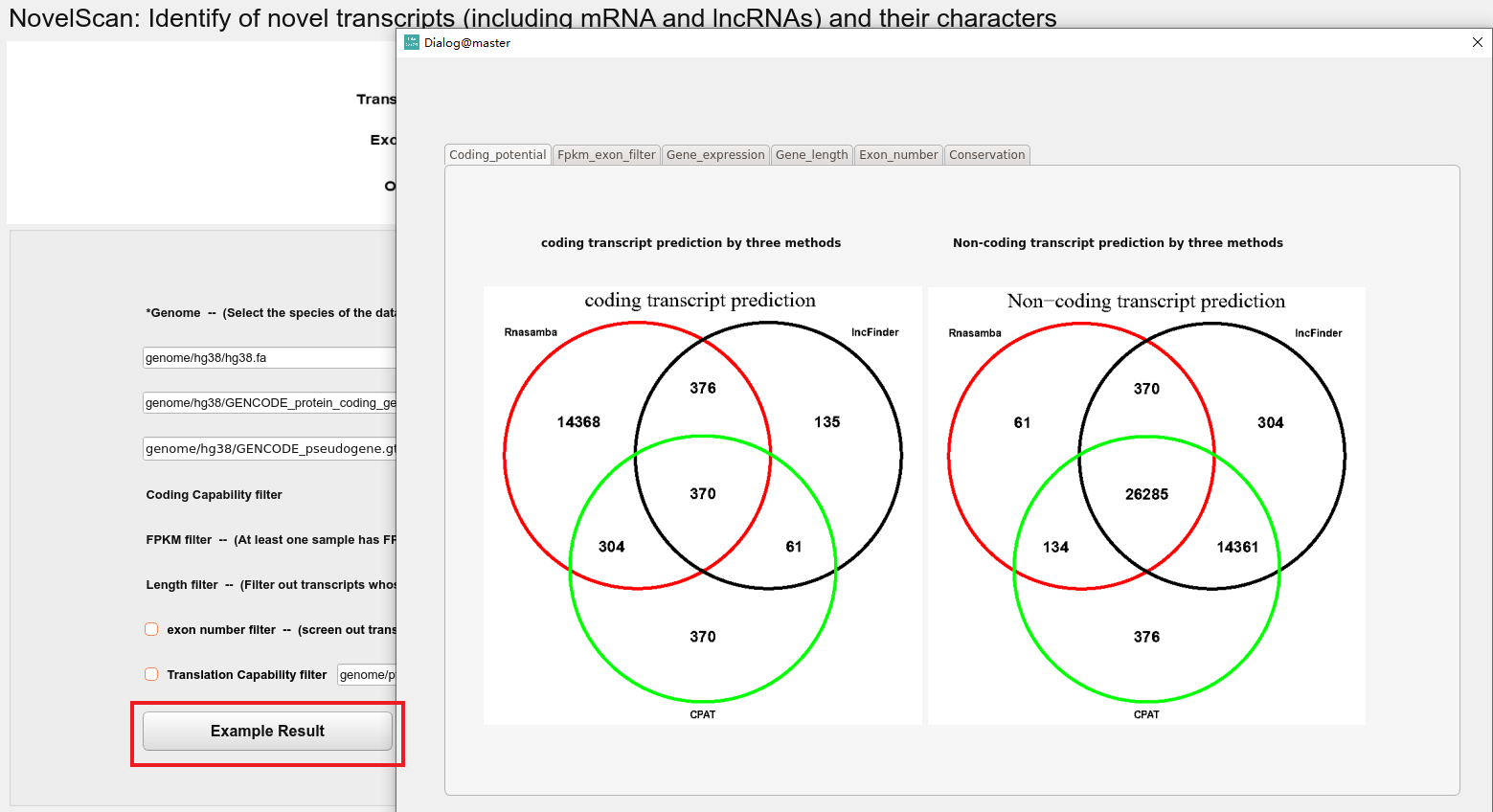
After the program runs, the user can view the results by clicking the Example Result button.
Example Result
By clicking the NEXT button, the user can reach the CellInfo interface.