Installation
Remember – InfoScan are available for Linux os as well as for
Mac os!
Download InfoScan
InfoScan is free and open to all users.
If you’re here for the first time, download InfoScan first, and decompress it into a directory whatever you like.
Download InfoScan v.0.1 for Linux x64
Download InfoScan v.0.1 for Mac OSX
Windows support is currently a work-in-progress. Stay tuned and visit back for a Windows compatible executable.
Note
For users who want to remote operation a linux system in windows, the SSH client must be capable of X11-Forwarding, such as MobaXterm et al.
Download Genome annotation file
Users should download the genome annotation file for the species of interest, and decompress these files into the same directory of InfoScan.
pre-built indexes
Download example data
InfoScan provide some example data (mouse) for the user to test. If want to do so, you should download the example data, and decompress these files into the same directory of InfoScan.
Install conda
InfoScan needs to use conda to configure the environment, please install conda first:
Linux
wget -c https://repo.anaconda.com/miniconda/Miniconda3-latest-Linux-x86_64.sh
chmod 777 Miniconda3-latest-Linux-x86_64.sh
bash Miniconda3-latest-Linux-x86_64.sh
source ~/.bashrc
Mac OS
curl -O https://repo.anaconda.com/miniconda/Miniconda3-latest-MacOSX-x86_64.sh
chmod 777 Miniconda3-latest-MacOSX-x86_64.sh
sh Miniconda3-latest-MacOSX-x86_64.sh
source ~/.bash_profile
Starting the software
Linux
Once the InfoScan mian program and the Genome annotation are downloaded and unzipped properly, go to the directory of InfoScan:
$ cd /the/directory/of/unzipped_InfoScan

# see all files, don't run.
$ tree -L 1
.
├── AppRun -> InfoScan
├── CPAT-3.0.0
├── genome
├── default.desktop
├── InfoScan
├── InfoScan.sh
├── lib
├── libexec
├── libXss.so.1
├── pack.sh
├── plugins
├── qss
├── qt.conf
├── resources
├── snakemake
└── translations

9 directories, 7 files
The operation of InfoScan needs to grant executable permission to the script of the software. Please execute the following code before running the software:
$ chmod 777 ./snakemake/script/*
$ chmod 777 ./InfoScan
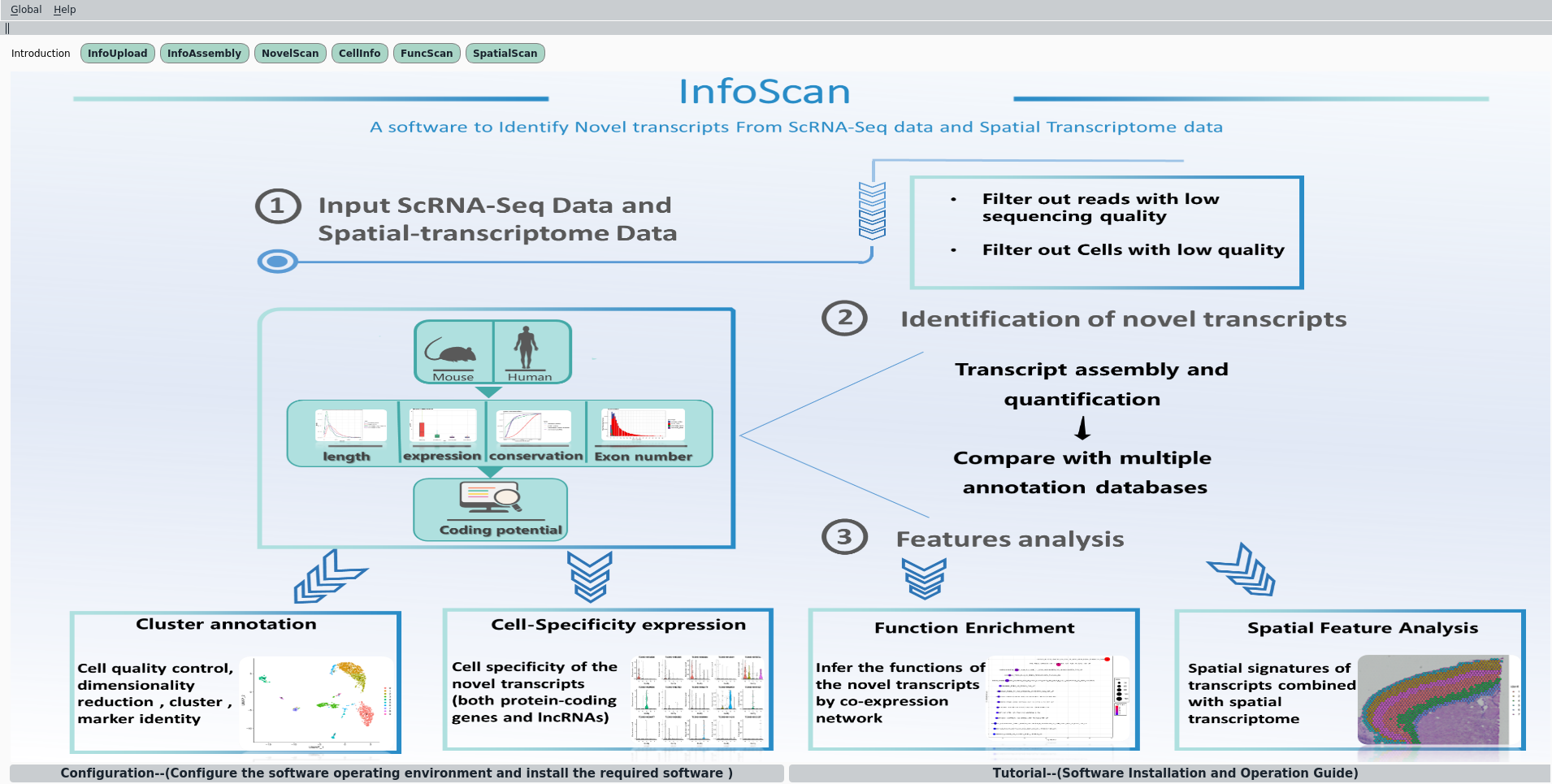
Then, upon executed the ./InfoScan, the following window appears:
$ ./InfoScan.sh
Mac OS
For Mac users, after decompressing the file, open the Command Line file, cd to the InfoScan.app directory, and input ./InfoScan.app/Content/Macos/InfoScan at Command file to run.
Note
For Mac, you should place the downloaded genome file and/or the example data in the same directory of InfoScan flie mentioned above. (like InfoScan/genome and/or InfoScan/data)
Configuration
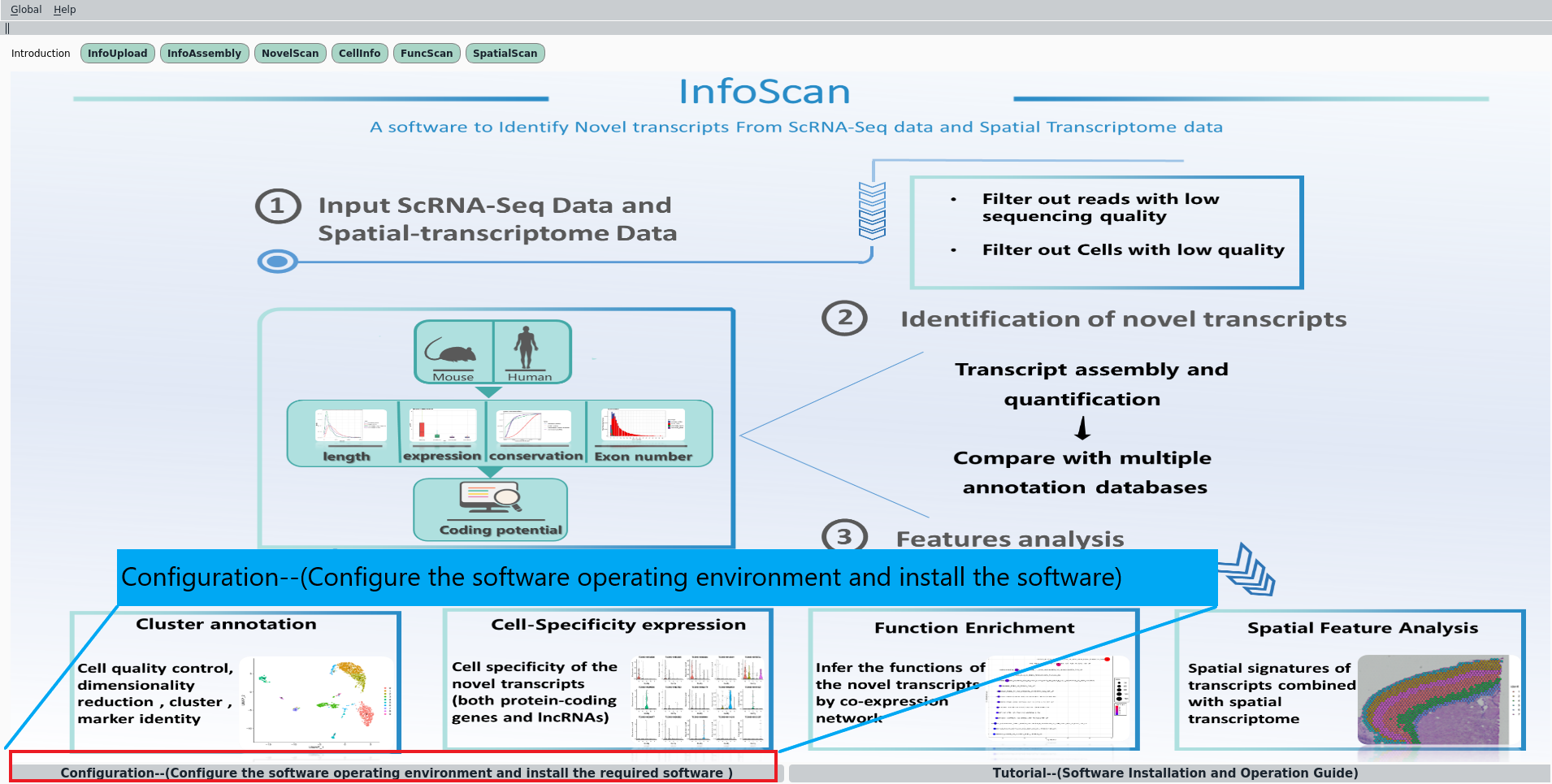
Before uploading data, you should first configure the operating environment of the software, this step can be achieved through clicking the Configuration button at the bottom of the main window.
Note
This step will automatically install some software through conda.